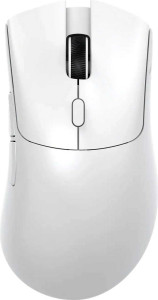
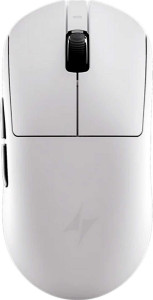
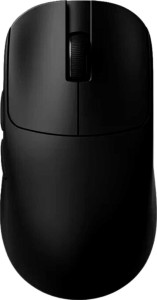
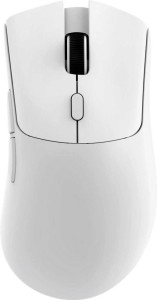
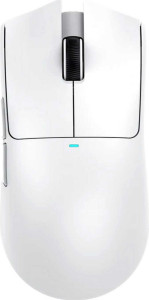
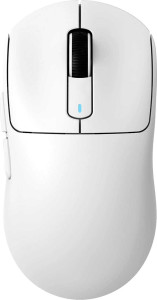
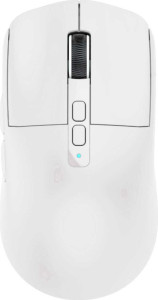
Attack Shark X1 specifications and in-depth review

Attack Shark X1

Manufacturer: Attack Shark

The Attack Shark X1 is a lightweight ambidextrous gaming mouse designed for users who want flexibility in how they connect and use their peripheral. Weighing just 53 grams, it suits extended sessions where carrying comfort and maneuverability matter, and its tri-mode connectivity — wired USB, 2.4GHz wireless, and Bluetooth 5.4 — means it can adapt to a range of setups without being locked into a single mode.

Under the hood, the X1 is powered by the PixArt PAW3950 Pro sensor, which supports a DPI range from 50 to 40000 and tracks at speeds up to 700 IPS with a maximum acceleration tolerance of 60G. The mouse operates at a 1000Hz polling rate and offers a rechargeable battery rated for up to 192 hours of use. It includes 6 buttons in total, with 5 programmable and 2 dedicated side buttons, though it ships without onboard memory profiles or RGB lighting, and cannot be used while charging.

Pros
  • Tri-mode connectivity via USB, 2.4GHz wireless, and Bluetooth 5.4 offers flexible usage across different setups
  • At 53 grams, the mouse is notably light, reducing fatigue during extended use
  • A DPI range from 50 to 40000 with adjustable steps allows precise sensitivity tuning for varied tasks
  • Battery life rated at 192 hours provides extended wireless use between charges
  • The ambidextrous shape accommodates both left- and right-handed users
  • Five programmable buttons allow a meaningful degree of input customization
Cons
  • The mouse cannot be used while charging, forcing downtime when the battery runs out
  • No wireless charging support means reliance solely on a wired cable for recharging
  • Stores no onboard memory profiles, so settings cannot be carried between devices without software
  • RGB lighting is absent, which limits visual customization options
  • The scroll wheel neither tilts nor has a thumb-operated variant, restricting scrolling functionality
  • A one-year warranty period offers limited long-term coverage
Who is this for?

The Attack Shark X1 is well-suited to users who frequently switch between devices or connection types, as its tri-mode connectivity via USB, 2.4GHz wireless, and Bluetooth 5.4 accommodates a range of setups with minimal friction. Its 53-gram weight and ambidextrous design make it a practical choice for both left- and right-handed users who spend long hours at a desk and prefer a low-fatigue peripheral. The generous 192-hour battery life also makes it a reasonable fit for users who want extended wireless use without frequently returning to a charging cable.

Who is this NOT for?

Users who require onboard memory profile storage to carry custom settings between systems will find this mouse limiting, as it stores no profiles independently of software. Those who prioritize an uninterrupted workflow may also be frustrated by the inability to use the mouse while it charges, which forces a complete pause in wireless use when the battery depletes. Additionally, users who rely on advanced scroll wheel functionality — such as horizontal tilting or thumb-operated scrolling — for tasks like wide spreadsheet navigation or content creation will find the basic scroll wheel insufficient for those needs.

Performance:

polling rate 1000 Hz
maximum speed 700 IPS
maximum acceleration 60G
maximum DPI 40000 DPI
minimum DPI 50 DPI
has adjustable DPI

The Attack Shark X1 operates at a 1000Hz polling rate and supports an adjustable DPI range spanning from 50 to 40000 DPI, giving users broad flexibility in sensitivity tuning. It tracks at a maximum speed of 700 IPS and can handle accelerations of up to 60G, reflecting a solid tracking specification for fast-paced use.

General info:

Type Gaming
connection type USB, Bluetooth, 2.4GHz wireless
sensor PixArt PAW3950 Pro
onboard memory profiles 0
Bluetooth version 5.4
has gesture support
Battery life 192 hours
can use while charging
has wireless charging
has a rechargeable battery
has a removable battery
warranty period 1 years

The Attack Shark X1 is a gaming mouse built around the PixArt PAW3950 Pro sensor and supports three connection modes — USB, 2.4GHz wireless, and Bluetooth 5.4. Its built-in rechargeable battery delivers up to 192 hours of battery life, though the mouse cannot be used while it is charging and does not support wireless charging; the battery is also non-removable. It stores no onboard memory profiles and lacks gesture support. The mouse comes with a one-year warranty.

Buttons:

number of buttons 6
number of side buttons 2
number of programmable buttons 5
has a DPI switching button
has a profile switching button

The Attack Shark X1 features 6 buttons in total, including 2 side buttons and a dedicated DPI switching button for on-the-fly sensitivity adjustments. Of the six, 5 are programmable, offering a reasonable degree of customization. The mouse does not include a profile switching button.

Design:

Orientation Ambidextrous
weight 53 g
has RGB lighting
has a tilting scroll wheel
has a thumb scroll wheel
has extra weights
cable length 1.8 m
volume 283.25808 cm³
thickness 38 mm
height 121.8 mm
width 61.2 mm

The Attack Shark X1 uses an ambidextrous form factor and weighs just 53 grams, with dimensions of 121.8 mm in height, 61.2 mm in width, and 38 mm in thickness, giving it a volume of approximately 283.26 cm³. It comes with a 1.8 m cable and ships without extra weights, RGB lighting, a tilting scroll wheel, or a thumb scroll wheel.

Final Verdict

The Attack Shark X1 presents itself as a lean, versatile gaming mouse built around a clear set of priorities: connectivity flexibility, low weight, and strong sensor performance. Its tri-mode connection support combined with a 192-hour battery life makes it a genuinely practical wireless option for users who move between setups or simply want reliable, long-lasting cordless use. That said, the absence of onboard memory profiles and the inability to operate while charging are real constraints that narrow its appeal for more demanding or professional workflows. For ambidextrous users who value a lightweight form factor and broad connectivity without needing deep on-device customization, the Attack Shark X1 delivers a focused, capable experience that holds up well within its intended scope.

Popular Comparisons

Attack Shark X1
Attack Shark X1
VS
ATK Dragonfly A9
ATK Dragonfly A9
Attack Shark X1
Attack Shark X1
VS
ATK VXE Mad R
ATK VXE Mad R
Attack Shark X1
Attack Shark X1
VS
Attack Shark R1
Attack Shark R1
Attack Shark X1
Attack Shark X1
VS
Attack Shark X11
Attack Shark X11
Attack Shark X1
Attack Shark X1
VS
Attack Shark X3
Attack Shark X3
Attack Shark X1
Attack Shark X1
VS
Attack Shark X6
Attack Shark X6
Attack Shark X1
Attack Shark X1
VS
Logitech G Pro X Superlight 2 Dex