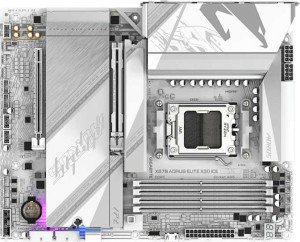
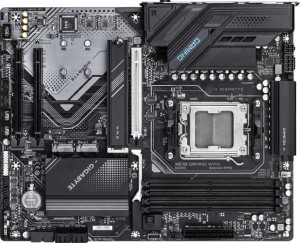
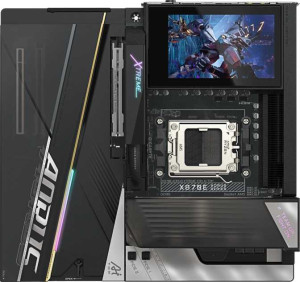
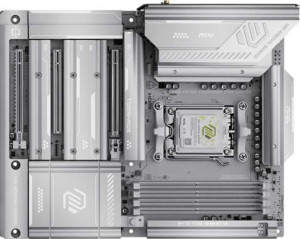
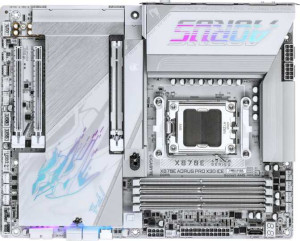
Gigabyte X870E Aorus Master X3D Ice specifications and in-depth review

Gigabyte X870E Aorus Master X3D Ice

Manufacturer: Gigabyte

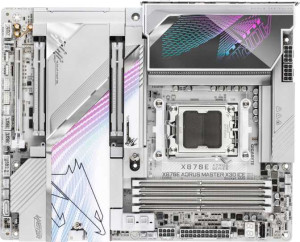
The Gigabyte X870E Aorus Master X3D Ice is an ATX motherboard built around the AM5 socket and X870 chipset, catering to users who need a well-equipped platform for current AMD processors. It includes Wi-Fi 7 (802.11be) alongside Bluetooth 5.4, and supports RGB lighting with an easy BIOS reset mechanism via a dedicated clear CMOS feature. The board carries a three-year warranty and measures 305 mm × 244 mm in the standard ATX footprint.

On the connectivity side, the board offers two USB 4 40Gbps ports alongside two Thunderbolt 4 ports, seven USB 3.2 Gen 2 Type-A ports, and dual RJ45 Ethernet jacks. Storage is handled through five M.2 sockets, two SATA 3 connectors with support for RAID 0, 1, 5, and 10, and two PCIe 5.0 x16 expansion slots. Memory support extends to four DDR5 slots accommodating up to 256 GB at speeds reaching 9000 MHz when overclocked, across a dual-channel configuration.

Pros
  • Five M.2 sockets provide substantial NVMe storage expansion capacity without relying on adapters
  • Two PCIe 5.0 x16 slots allow for high-bandwidth add-in card configurations
  • Wi-Fi 7 support covers all major wireless standards from Wi-Fi 4 through to the latest generation
  • Two USB 4 40Gbps ports alongside two Thunderbolt 4 ports give the rear I/O strong high-speed device connectivity
  • DDR5 memory can be overclocked up to 9000 MHz across four slots with a maximum capacity of 256 GB
  • Eight fan headers offer extensive cooling management flexibility for complex builds
Cons
  • No DisplayPort output limits video connectivity to a single HDMI 2.1 connector
  • Only two SATA 3 connectors restrict the number of traditional drives that can be connected directly
  • ECC memory is not supported, ruling out use cases that require error-correcting RAM
  • Dual BIOS is absent, removing a common fallback option for BIOS recovery
  • No USB 2.0 rear ports may cause compatibility issues with older peripherals that rely on that standard
Who is this for?

This board is well matched to enthusiast desktop builders who want to push AMD AM5 processors to their limits, given its support for overclocked DDR5 memory up to 9000 MHz and two PCIe 5.0 x16 slots for high-bandwidth add-in cards. The five M.2 sockets and broad RAID support make it a strong fit for users who need substantial and flexible NVMe storage configurations. Those who rely heavily on external device connectivity will also benefit from the extensive rear I/O, particularly the two Thunderbolt 4 and two USB 4 40Gbps ports, alongside integrated Wi-Fi 7 for users who prefer wireless networking without additional adapters.

Who is this NOT for?

Users building workstations that depend on ECC memory for data integrity — such as those working in scientific computing or financial processing — will find this board unsuitable, as ECC support is absent. The limited two SATA 3 connectors make it a poor choice for anyone needing to connect multiple traditional hard drives or SSDs via SATA. Additionally, those who require multiple video outputs for multi-monitor setups driven by integrated or low-profile graphics will be constrained by the single HDMI 2.1 port and the complete absence of DisplayPort or DVI outputs.

General info:

CPU socket AM5
chipset X870
form factor ATX
supports Wi-Fi
Wi-Fi version Wi-Fi 4 (802.11n), Wi-Fi 5 (802.11ac), Wi-Fi 6 (802.11ax), Wi-Fi 6E (802.11ax), Wi-Fi 7 (802.11be)
Has Bluetooth
Bluetooth version 5.4
HDMI version HDMI 2.1
Easy to overclock
has RGB lighting
Easy to reset BIOS
Has dual BIOS
has aptX
CPU sockets 1
Has integrated graphics
warranty period 3 years
height 244 mm
width 305 mm
Has integrated CPU

The Gigabyte X870E Aorus Master X3D Ice uses the AM5 socket and is compatible with the X870 chipset, built into the standard ATX form factor measuring 305 mm × 244 mm. It accommodates a single CPU and has no integrated processor or onboard graphics. Wireless connectivity is covered by Wi-Fi 7 (802.11be), with backward compatibility across Wi-Fi 4, 5, 6, and 6E standards, complemented by Bluetooth 5.4, though aptX is not supported. The board includes an HDMI 2.1 output and supports overclocking with a straightforward BIOS reset via a clear CMOS feature. RGB lighting is present, while dual BIOS is not. The board does not include integrated graphics support and carries a three-year warranty.

Memory:

maximum memory amount 256GB
RAM speed (max) 5200 MHz
overclocked RAM speed 9000 MHz
memory slots 4
DDR memory version 5
memory channels 2
Supports ECC memory

The board supports DDR5 memory across four slots in a dual-channel configuration, with a maximum capacity of 256 GB. The native RAM speed tops out at 5200 MHz, while overclocking can push that figure up to 9000 MHz. ECC memory is not supported.

Ports:

USB 3.2 Gen 2 ports (USB-A) 7
USB 3.2 Gen 1 ports (USB-A) 0
USB 3.2 Gen 2 ports (USB-C) 1
USB 3.2 Gen 1 ports (USB-C) 0
USB 2.0 ports 0
USB 3.2 Gen 2x2 ports 1
USB 4 40Gbps ports 2
USB 4 20Gbps ports 0
Thunderbolt 4 ports 2
Thunderbolt 3 ports 0
has an HDMI output
DisplayPort outputs 0
RJ45 ports 2
Has USB Type-C
eSATA ports 0
DVI outputs 0
has a VGA connector
PS/2 ports 0

The rear I/O panel offers a broad range of USB connectivity, including seven USB 3.2 Gen 2 Type-A ports, one USB 3.2 Gen 2 Type-C port, one USB 3.2 Gen 2x2 Type-C port, and two USB 4 40Gbps ports. There are also two Thunderbolt 4 ports, while Thunderbolt 3, USB 3.2 Gen 1, USB 2.0, and USB 4 20Gbps ports are absent. Video output is limited to a single HDMI connector, with no DisplayPort, DVI, or VGA options available. Networking is handled by two RJ45 ports, and there are no eSATA or PS/2 ports present.

Connectors:

USB 3.2 Gen 1 ports (through expansion) 4
USB 3.2 Gen 2x2 ports (through expansion) 1
USB 2.0 ports (through expansion) 4
SATA 3 connectors 2
fan headers 8
USB 3.0 ports (through expansion) 4
M.2 sockets 5
Has TPM connector
U.2 sockets 0
Has mSATA connector
SATA 2 connectors 0

Internal expansion is well catered for, with headers supporting four USB 3.2 Gen 1 ports, four USB 3.0 ports, four USB 2.0 ports, and one USB 3.2 Gen 2x2 port through add-in brackets or front-panel connections. Storage options include five M.2 sockets and two SATA 3 connectors, while SATA 2, U.2, and mSATA connectors are not present. The board also provides eight fan headers for cooling management and includes a TPM connector for security module support.

Expansion slots:

PCIe 4.0 x16 slots 0
PCIe 5.0 x16 slots 2
PCIe 3.0 x16 slots 0
PCIe x1 slots 0
PCI slots 0
PCIe 2.0 x16 slots 0
PCIe x4 slots 1
PCIe x8 slots 0

The board features two PCIe 5.0 x16 slots as its primary expansion options, alongside one PCIe x4 slot. There are no PCIe 4.0, 3.0, 2.0, x8, or x1 slots, and no legacy PCI slots are present.

Audio:

Signal-to-Noise ratio (DAC) 120 dB
audio channels 5.1
Has S/PDIF Out port
audio connectors 2

The onboard audio supports a 5.1-channel configuration and delivers a DAC signal-to-noise ratio of 120 dB, with two analog audio connectors available on the rear panel. An S/PDIF output port is also included for digital audio passthrough.

Storage:

Supports RAID 1
Supports RAID 10 (1+0)
Supports RAID 5
Supports RAID 0
Supports RAID 0+1

The board supports RAID 0, 1, 5, and 10 configurations, covering a practical range of performance and redundancy options. RAID 0+1 is not supported.
Final Verdict

The Gigabyte X870E Aorus Master X3D Ice is a feature-dense AM5 motherboard that caters squarely to enthusiast builders seeking a high-bandwidth, well-connected platform. Its five M.2 sockets, dual PCIe 5.0 x16 slots, and extensive USB 4 and Thunderbolt 4 rear I/O make it a compelling choice for demanding desktop configurations. While the absence of ECC support and the limited SATA connectivity narrow its appeal in workstation and storage-heavy scenarios, these are deliberate trade-offs in line with its enthusiast desktop positioning. For users building a high-end AMD Ryzen system who want cutting-edge wireless, strong storage flexibility, and future-ready expansion, this board represents a thorough and well-rounded solution.

Popular Comparisons

Gigabyte X870E Aorus Master X3D Ice
VS
ASRock X870E Nova WiFi
Gigabyte X870E Aorus Master X3D Ice
VS
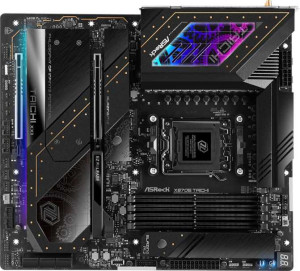
ASRock X870E Taichi
ASRock X870E Taichi
Gigabyte X870E Aorus Master X3D Ice
VS
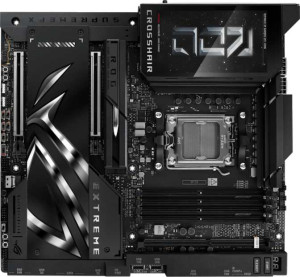
Asus ROG Crosshair X870E Extreme
Gigabyte X870E Aorus Master X3D Ice
VS
Asus ROG Strix X870E-E Gaming WiFi
Gigabyte X870E Aorus Master X3D Ice
VS
Gigabyte X870 Aorus Elite X3D Ice
Gigabyte X870E Aorus Master X3D Ice
VS
Gigabyte X870 Gaming Wi-Fi6
Gigabyte X870E Aorus Master X3D Ice
VS
Gigabyte X870E Aorus Xtreme X3D AI Top
Gigabyte X870E Aorus Master X3D Ice
VS
MSI MAG X870E Tomahawk Max Wi-Fi PZ
Gigabyte X870E Aorus Master X3D Ice
VS
Gigabyte X870E Aorus Pro X3D Ice
Gigabyte X870E Aorus Master X3D Ice
VS
MSI MEG X870E Godlike
Gigabyte X870E Aorus Master X3D Ice
VS
Gigabyte X870E Aorus Xtreme AI Top
Gigabyte X870E Aorus Master X3D Ice
VS
NZXT N9 Z890
NZXT N9 Z890